Tuesday, 21 May 2019

Assessment II (June 10 Deadline)

Introduction; Explain precisely

summary and analysis concisely
secondary re- general text, so specific, you can have more than this
Intro, 500 words
total of 2000 words
APA reference is critical to this.

Get track of your blog,

1st set up a blog
reinforcement with file setup
Google scholar, library,


My topic for this assessment would be " compositing, editing and Audio techniques and methodologies in GAM" I'll be primarily specifying in the movie sector.


Compositing in film


Week 2, Week 3, Week 4


28th Feb Thursday:
Week 2

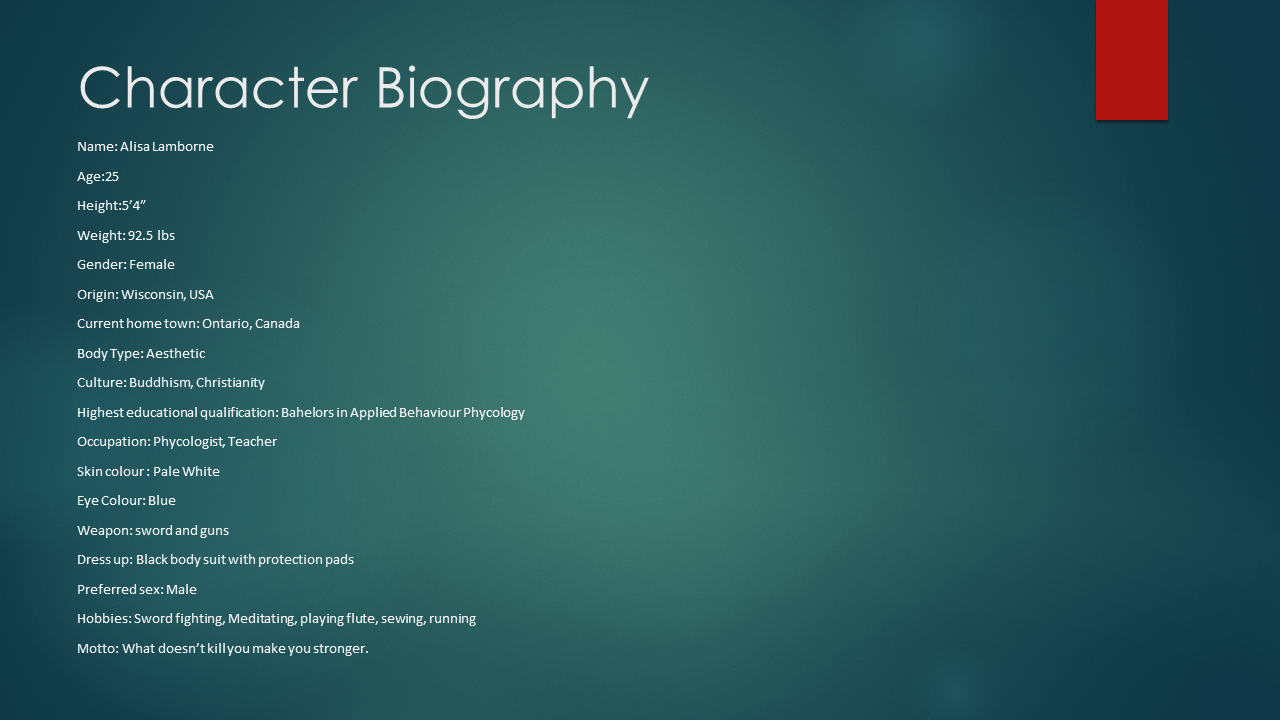
CLASS ONE – biography, inspirations, sketching
CLASS TWO – body proportions, finishing PowerPoints

College presentation day


The class started with submitting our final power point character design for project assessment BVA126. My project wasn't finished yet. I struggled to copy my final document to Powerpoint since I had to submit all work in power point presentation. and my name was in second place, I had no clue what to express, I have never presented such a presentation in front of these massive native English speaking fellow mates. So, First, I decided to see and observe the students project first. Everyone had done it pretty well. They have put their best to show what they can do. but few students were funny as well. and I love the fact that it takes learning in an exciting way. They sounded so confident.

But most of my works were internet based, I can hardly pick some of the superhero films, but I did my research earlier. I had discussed my story about my roommate, a fellow Chinese lady, who guides me as a senior. after staying till 3 in the morning, I manage to finish my assignment.
I suppose I am good at drawing, but currently,  I lack thinking and creativity skills. emailing my tutor Ruby and her responses helped me a lot to correct with my character and story concept. she is very nice to students and very kind and loving in nature.

I got the lesson, how to manage time and work on your college assignment. From next time I'll be doing them as best performers from my class.

Projects should, target the audience, put creatively, to the point, speak confidently and its always better to show your work and how you did it.

Early practices and experiment with my character.


Reference Images from the Internet.


Week 3 

CLASS ONE – Presentations today!

CLASS TWO – Finalising biography, color theory & pallets.

Presentation day for my assessment.


It went not that bad. but somehow I manage to speak, the fear, anxiety, and lack of experience and confidence drove me down. But I had courage from my effort towards my work, the time I've indulged and all the hard work I have done helped me to speak. The first attempt was more like, just being able to speak, rather than think and speak, cover your thoughts and ideas.

After the completion presentation session, we were taught to draw and import an image in Toon Boom and outline our character. we were introduced to use a color palette, how color interprets with each other with respect to their surroundings. so it was basically one of the important aspects of compositing a character.

Assessment I final slides


Character Design/ Development


Color theory and importing image to toon boom harmony. links for the color theory is in harmony website

clour/ light/color cards/
color palette
coloring and outline your character in harmony.

work on your blog/ finishing out your character.


Week 4

CLASS ONE – Turnarounds, tutorial, roughs
CLASS TWO - Turnarounds continued, inked, colored


This week- focused on turn around, facial expression. A brief discussion about our next assessment
Bam animation_ youtube. go for it, really good content.
eight around transition, 80 percent, very precise.


Week 11( 9th May)

Node Shading
Ctr+alt +hold to shift individual nodes

Class 2 :
Working on Character jump:
Refer to some Y: drive resources for jump scene , get some idea , do not trace

Week 12

Maya Class With Michael

I am always interested to learn Autodesk's Maya Software for 3D animation and today seems to be a perfect day to learn in depth for a beginner.


  • First of all, it is important to Set a project.


perspective (4 windows)
spacebar for selection for particular panel


Keyboard shortcuts :


Attributes editor
less polygon is better for animation, this makes an image to appear less smooth and efficient in terms of render previewing.

Object mode
not to do this thing, extrude and do nothing. ( Be aware)
Excluding both sides at once
G key shortcuts for tools used before


Press F for outliner
control for deselect

Hold shift and double click to select every vertex and edges. ( multiple selections)
Transform attributes
Go to custom tab save

Save and reset to your original transformation. It is very important.
shift, control, and select


Modify freeze transformation

next week task, come up with a sketch or prototype of what you want to create for your projects.


Reference:
For keyboard Shortcuts: https://www.lifewire.com/maya-training-keyboard-shortcut-cheat-sheet-2137

Monday, 20 May 2019

week 12 Hands and feet (Black Paper)

week 12

 Drawing hand gesture by watercolor mainly black. tools used a paintbrush, size medium and small.
different hand mainly palm and fingers.


Hands drawing techniques.

https://www.drawinghowtodraw.com/stepbystepdrawinglessons/2016/08/draw-hands-reference-sheets-guides-drawing-hands/


Week 12 Storyboarding

Second Assessment 65% Wednesday 12th June


Alt and drag don't effects timing.
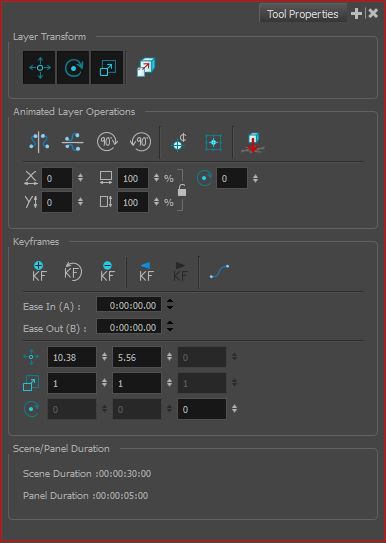
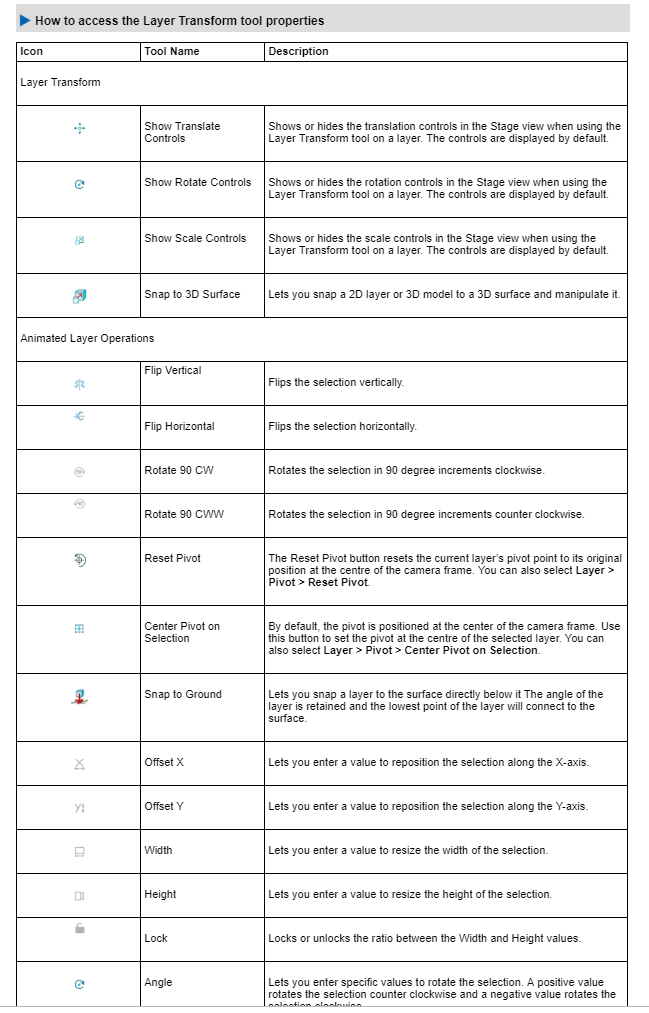
changing camera projection
pivot point adjustment.

Camera


References on Camera transformation in Storyboard Pro.

https://learn.toonboom.com/modules/how-to-add-effects-and-camera-moves/topic/how-to-create-a-camera-move

week 12


walk cycle

Walk cycle from various positions.
especially front and side,

consistency is the key.

Here, I have drawn our different poses for a complete walk cycle and I repeat firstly drawn a character to the end whole walk cycle.


In this class, we practiced how to make a character walk. some of the learning materials are available in college drive. I referred to one of the walk cycle references and made the above pose.

.
slow down
the walk can be positioned from outside of the camera view.
set exposure
play with timing. you might need to draw extra in between frames.

select strokes with the current color.
the set peg that makes things set organized


Week 9 3d modelling maya

 Giant: