Monday, 20 May 2019

week 12


walk cycle

Walk cycle from various positions.
especially front and side,

consistency is the key.

Here, I have drawn our different poses for a complete walk cycle and I repeat firstly drawn a character to the end whole walk cycle.


In this class, we practiced how to make a character walk. some of the learning materials are available in college drive. I referred to one of the walk cycle references and made the above pose.

.
slow down
the walk can be positioned from outside of the camera view.
set exposure
play with timing. you might need to draw extra in between frames.

select strokes with the current color.
the set peg that makes things set organized


Week 11

Dunedin Trip.


Please write a blog entry about your recent trip with the school to Dunedin.  Where did you go, what did you see, and what did you think?  What was good, what could have been better, and if we are able to take another school field trip, what would you like to do or see?

My trip to Dunedin was very exciting except for the long drive I had. it took us about 5 hours to reach there. 
I mainly walked around the street capturing various streets arts painted on walls. I also noticed that the place has very beautiful churches and buildings. It was a beautiful day at Dunedin. mostly sunny and warm.
We went to various art galleries in the city, but I'm unable to recall it now. There I got to see very talented art pieces.
 then we headed to see the museum and it was Otago Museum.  I also manage to capture different images of ancient materials used by native people of NewZealand.

week 13

literature Review
ebookcentral.proquest.com

Structure


https://www.youtube.com/watch?v=PU2uqFY-l4s


week 13


Week 13 ( Monday)

Practiced drawing walk cycle from three different views namely front, side and Third quarter.

Tutorial on how female and male characters walk and their style of walking varies.
Female tends to walk narrowing their feet whereas male tends to walk freely with large gaps between their legs.

Preparing my work for an upcoming assessment.

Wednesday, 10 April 2019

digital drawin/ phootoshop

Corel Painter
Saving properties
jpeg, psd, png

Shift +S -cycle between two colors
paletton.com

save to tiff file format and later open with Photoshop.


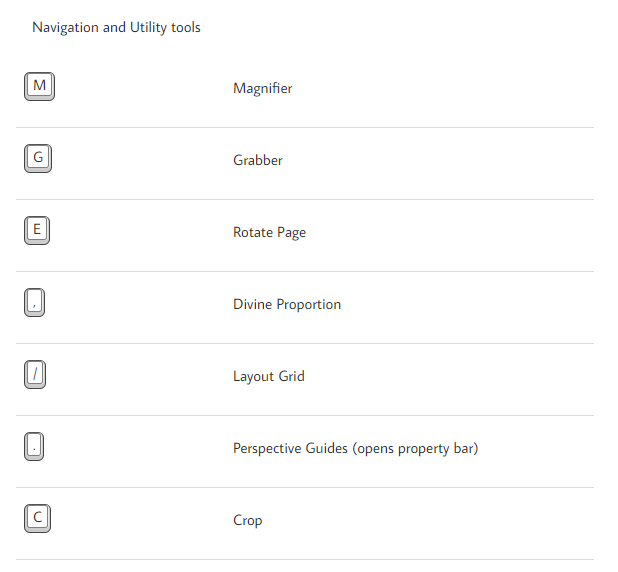
Keyboard Shortcuts.


chris photoshop

week 1: General Introduction

I was happy to see our tutor for digital media. He introduced himself as a Chris MacDonald. and told us to introduce ourselves. We might say where we've come from, where u wanna be in near
future. I was quite excited and happy to see different faces and assumed that they might be very talented and smart.  I  had this concept that the ongoing course would be very practical and exciting.

For me being outside the country is a completely new thing. For some moment I wasn't feeling comfortable with other students. I wasn't confident enough to speak in English and took me several periods to catch up with tutors voice and sentences, As I found it to be deep and manly. It was just my opinion and freaked out assuming that how would I be able to understand throughout the upcoming session.

Chris noticed us that we need to be writing a blog as a part of our college assignment as it would carry about 25% of the overall score. I was very new to writing blogs. I heard about it before but I had never tried.

week 2- PhotoShop and Wacom device properties/ drawing with brush tools and pattern brushing
week 3  Photoshop preferences/ interface- bg color,font size/ performance memory usage
interface
workforce
scratch disks- generally show yours drives and provides options to change between drives.
tips, if two mechanical small drive you can change it.

gamut warming- printer device might not produce those color.

ruler: Ctrl+r    shift+drag down


photoshop tools
marquee
fill spaces, mask spaces, shift-drag- add selection, shift alt remove from the selection
Ctrl+shift+I inverse the selection, Ctrl I - inverse

For the Classwork, we practiced drawing an apple in Photoshop. Here is my final apple which was later exported. First of all, I've drawn some basic square to make a proper shape of it.

Week 8
Adobe in design:
The first step is to make a named Folder for various sources like for images.

Created new with the following settings.
print/ A5/

facing page: if ur designing a booklet that prints into both sides
the designing book you need to add at least multiple of 4 no. of pages. eg. 4, 8 ,16, 24 etc.
column 1, gutter 2.( space around pages)
margins
Bleed and slug
bleed for the printer, cuts paper, 3m

Text
select and drag, in the beginning just add with placeholder text.

Hyphenation, disable it for the right button and disable it.

text box
place holder

content your image folder, make sure you tie every image into one.
Import image and resizing it.
Relocate image, if its moved or deleted. ( double click) relocate.

Export: file/ export/adobe pdf print.( give it a name) and export.

a new window appears/


Clock design(class activity)
pick an idea to develop concept, sketch and do it on photoshop.

As our tutor Chris suggested us to think creatively and think outside of the box. I finally came up with some ideas.
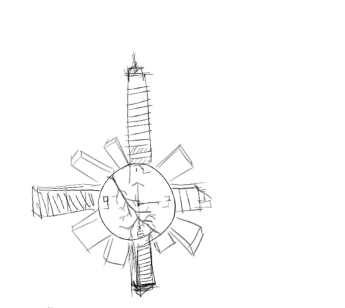

This is a prototype that I made myself. here I wanted to show the world holding full of buildings and a little dying tree inside of it. The main theme of this design is that the human has progressively urbanizing most of the landmass on earth. They are cutting down trees for their own benefits and They are not aware of the consequences.

Week 9 3d modelling maya

 Giant: